前言
Steam.CASH 导航站在构思初期,多语言支持就是一个重要的需求,因此后续在对 CMS 进行调研的时候,也着重考虑了“是否支持多语言内容”这一点。
最终 Strapi 和 Directus 进入了决赛圈,但是由于 Strapi 从 v4 到 v5 的破坏性更新让社区颇有不满,于是我选择了 Directus。
中文互联网上似乎没有太多关于 Directus 多语言实现的资料,这里就分享一下我的设计思路和实现方法,希望能对有你有所帮助。
关于 Directus 的多语言支持
官方有专门的文档:Translations | Directus Docs
其中介绍了 Directus 支持的两种翻译:
-
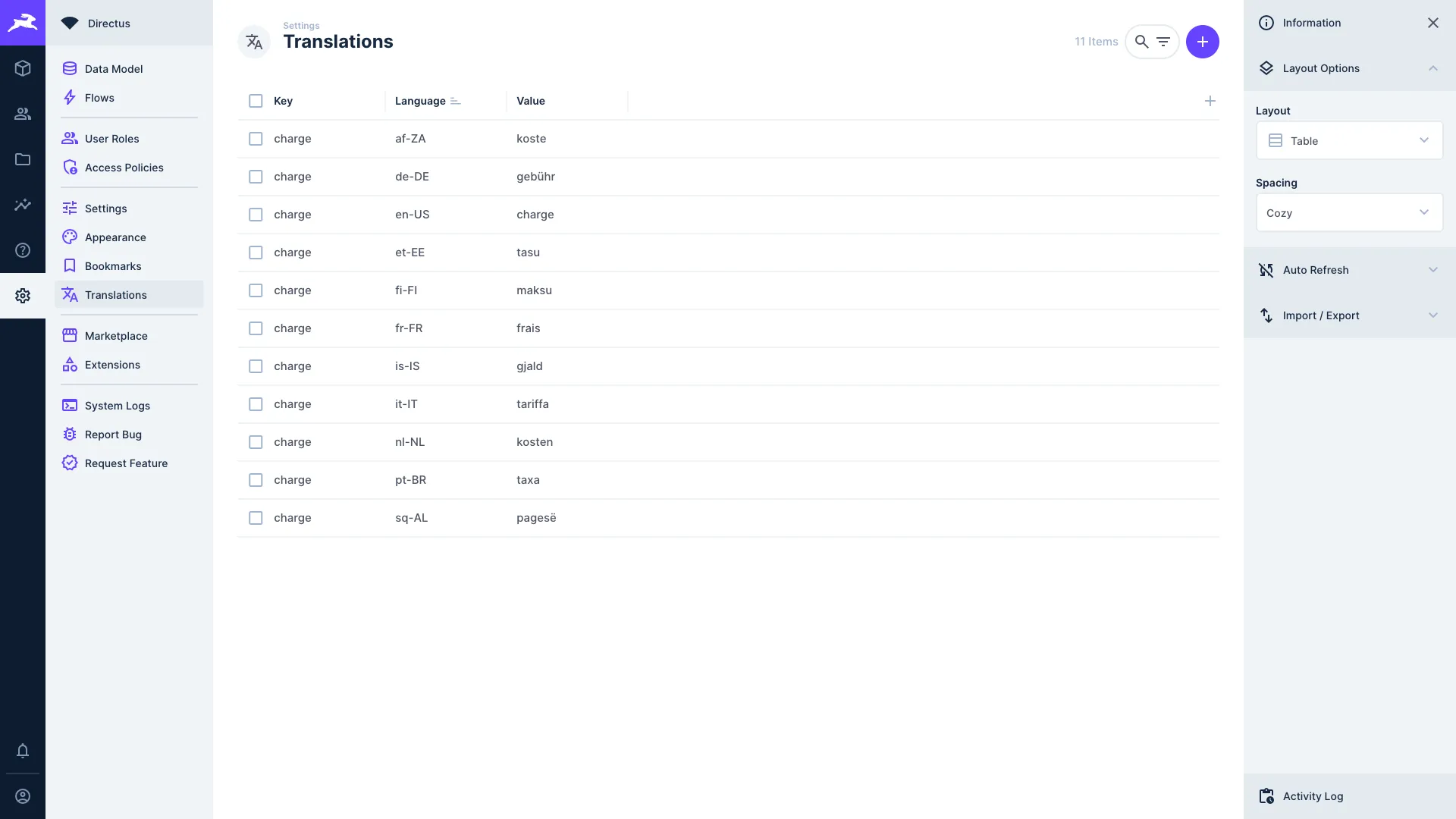
Data Studio 界面翻译:指的是翻译Directus管理后台的用户界面。
可以看到在配置中,每个页面上会出现的单词和短语都对应着一个翻译值。
-
内容翻译 (Content Translations):翻译数据库中的实际内容,可通过 API 提供给外部应用。
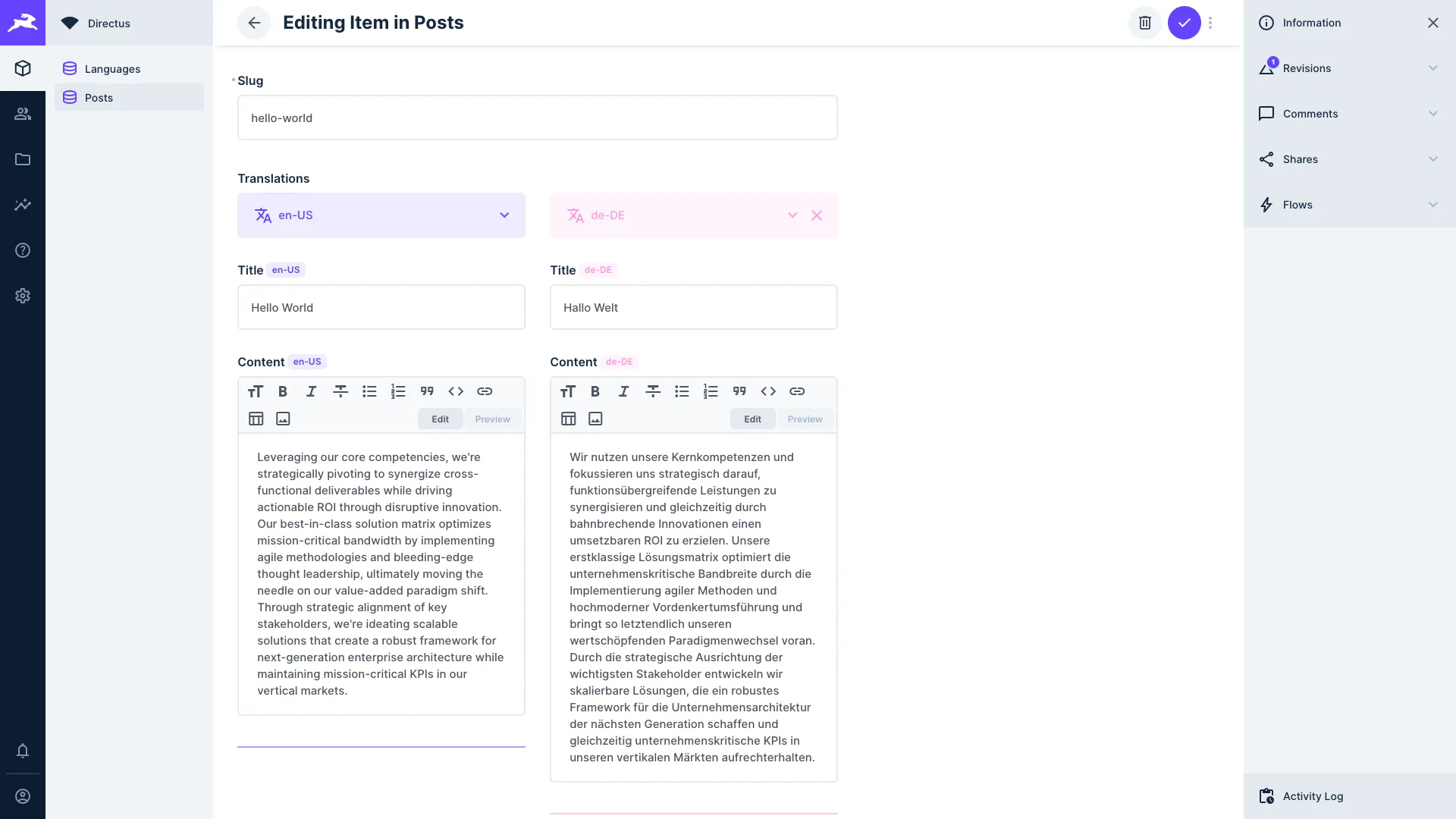
显然 Directus 本身是支持多语言内容管理的,并且由于我们只把它作为数据管理后台使用,没有用到它的前端(我的前端是使用 Astro 静态站点生成器来构建的),因此只需关注第二种 内容翻译 的实现即可。
Directus 的数据结构以及多语言设计
过一下
Directus基础的数据结构设计概念:
- Collection(集合):本质就是一张表(或一个数据实体)。需要注意的是分类和语言也算是 Collection。
例如 articles、categories、languages。- Field(字段):表里的列。
比如 articles.title、articles.status、articles.published_at。- Item(条目):表里的一行数据。
一篇文章就是 articles 的一个 item。- Relation(关系):表与表的关联,
Directus会帮你生成“可视化的关系字段”和 API 的嵌套读取能力。
常见 3 类:
- M2O / O2M(一对多 / 多对一):最常用。比如“文章属于一个分类”(articles → categories 是 M2O)。
- M2M(多对多):通常会有一张“中间表 / junction”。比如“文章有多个标签、标签也属于多篇文章”。
- O2O(一对一):例如文章和 SEO 扩展表一对一。
考虑到我的以下需求:
- 文章 (articles) 需要支持多语言
- 分类 (categories) 需要支持多语言
- 标签 (tags) 需要支持多语言
- 存在多层级分类
- 一篇文章可以属于多个分类
最终,我的数据结构为:
languages:语言表(包含code字段值为zh-CN、en-US等,name字段为语言名称)articles:文章主表(只存储不随语言变化的字段,由于我的博文路径是/<lang>/<slug>,因此slug字段也放在这里)articles_translations:文章翻译表(随语言变化的字段,如title、content等)articles_translations.article_id->articles.id(M2O)articles_translations.language_code->languages.code(M2O)
categories:分类主表(只存储不随语言变化的字段,如slug)categories.parent_id->categories.id(M2O,自关联,用于多级分类)
categories_translations:分类翻译表(name、description等)categories_translations.category_id->categories.id(M2O)categories_translations.language_code->languages.code(M2O)
articles_categories:文章与分类的多对多中间表articles_categories.article_id->articles.idarticles_categories.category_id->categories.id
tags:标签主表(只存储不随语言变化的字段,如slug)tags_translations:标签翻译表(name、description等)tags_translations.tag_id->tags.id(M2O)tags_translations.language_code->languages.code(M2O)
articles_tags:文章与标签的多对多中间表articles_tags.article_id->articles.idarticles_tags.tag_id->tags.id
约束条件如下:
articles_translations:(article_id, language_code)联合唯一(同文章同语言只允许一条翻译)categories_translations:(category_id, language_code)联合唯一tags_translations:(tag_id, language_code)联合唯一articles_categories:(article_id, category_id)联合唯一(避免重复绑定)articles_tags:(article_id, tag_id)联合唯一(避免重复绑定)
操作概述
- 创建文章集合 (Collection)
- 创建文章翻译集合
- 将语言集合关联到文章翻译集合
- 创建一篇文章
- 添加翻译内容
- 通过 API 获取多语言内容
实际步骤
一、创建文章集合 (Collection)
主键 id 修改为使用 UUID:

可选字段全部勾选:

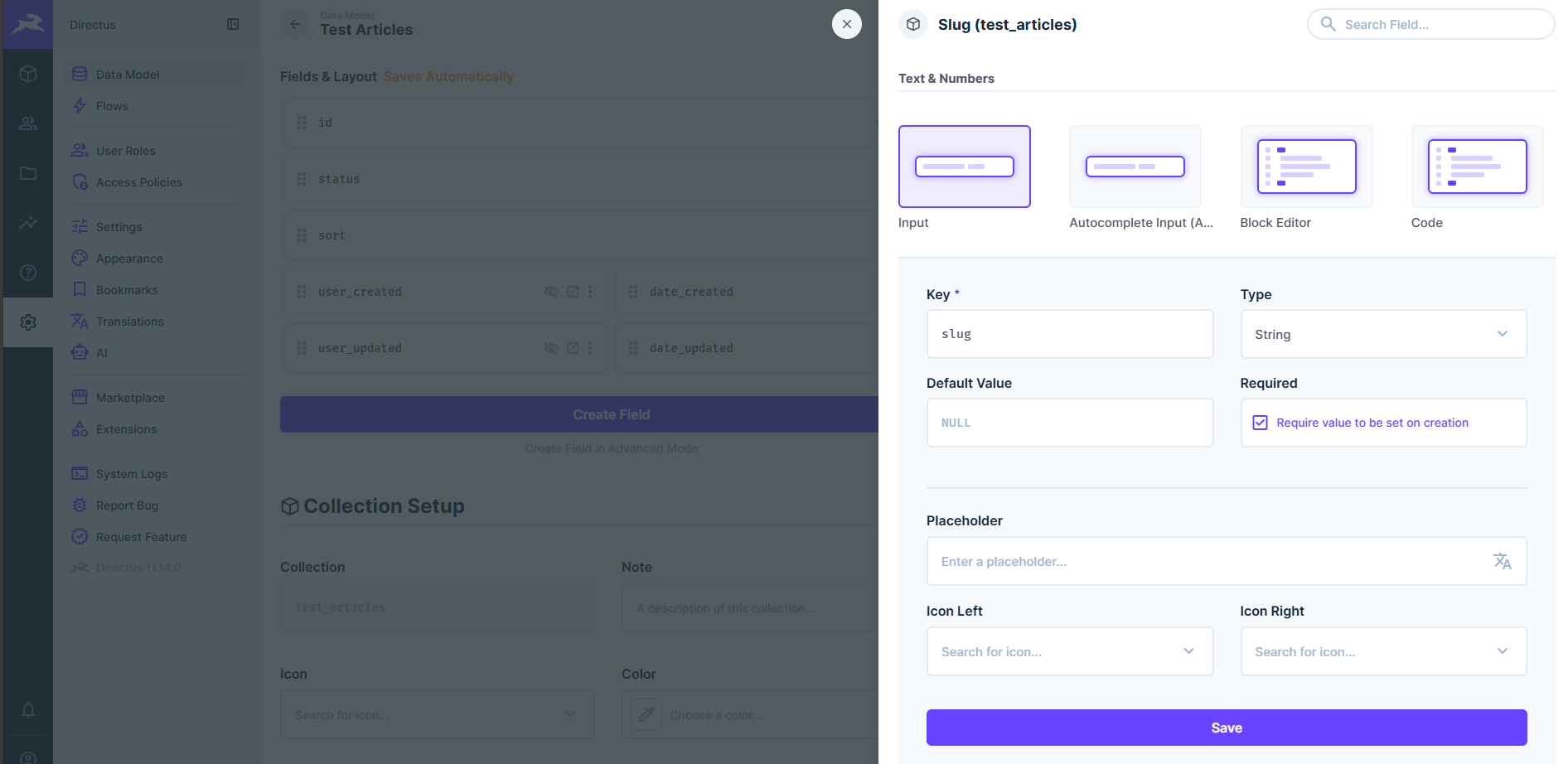
添加字段 slug,设置为必须项目:
二、创建文章翻译集合
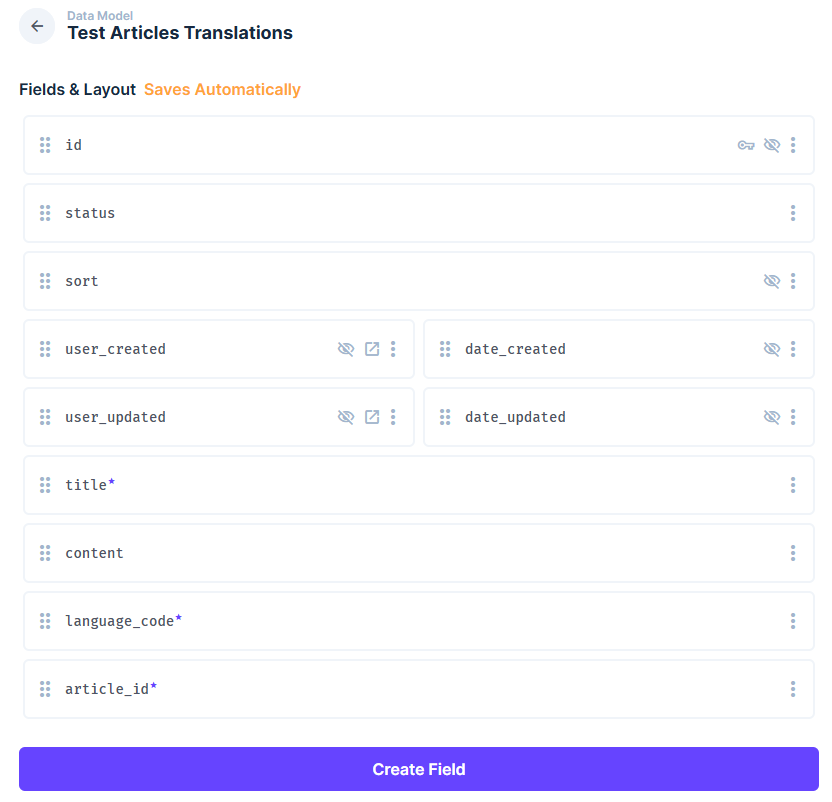
虽然官方文档中提到可以通过新增翻译字段来自动创建翻译集合,但我这里选择手动创建 test_articles_translations 集合,以便更好地控制字段和关系。
The
languagescollection will be automatically created when you add your first translations field. It contains each language you support, with acodeanddirectionfield (some languages are written right-to-left).The field will also create a new collection-specific collection for translated content, for example
articles_translations. Add fields you wish to translate to this collection, and they will be displayed in the translations interface
一样选择使用 UUID 作为主键,添加字段 title、content、language_code 和 article_id:
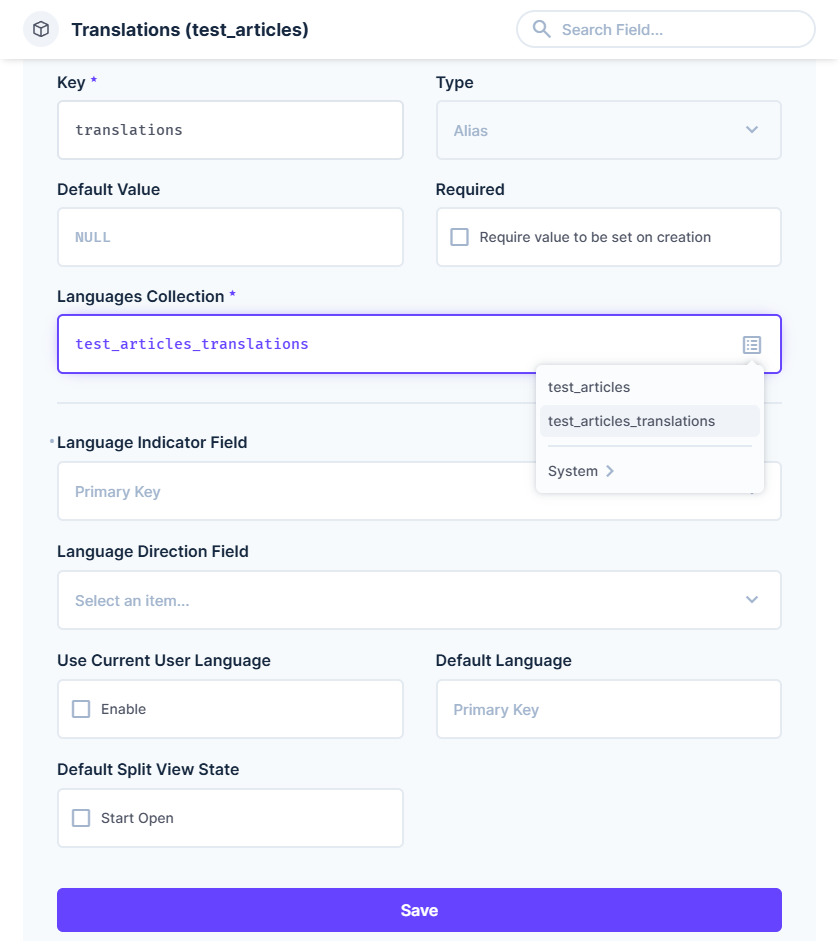
三、将语言集合关联到文章翻译集合
编辑 test_articles 文章集合,添加 translations 关系字段,类型选择 M2M,关联到 test_articles_translations: